
Track how each campaign is performing and export your donor list to a spreadsheet. Campaign reports and CSV export require WP SmartPay Pro.
Opening the Campaigns Report
Go to SmartPay → Reports and click the Campaigns tab. Use the period selector (including custom dates) and the All campaigns filter.
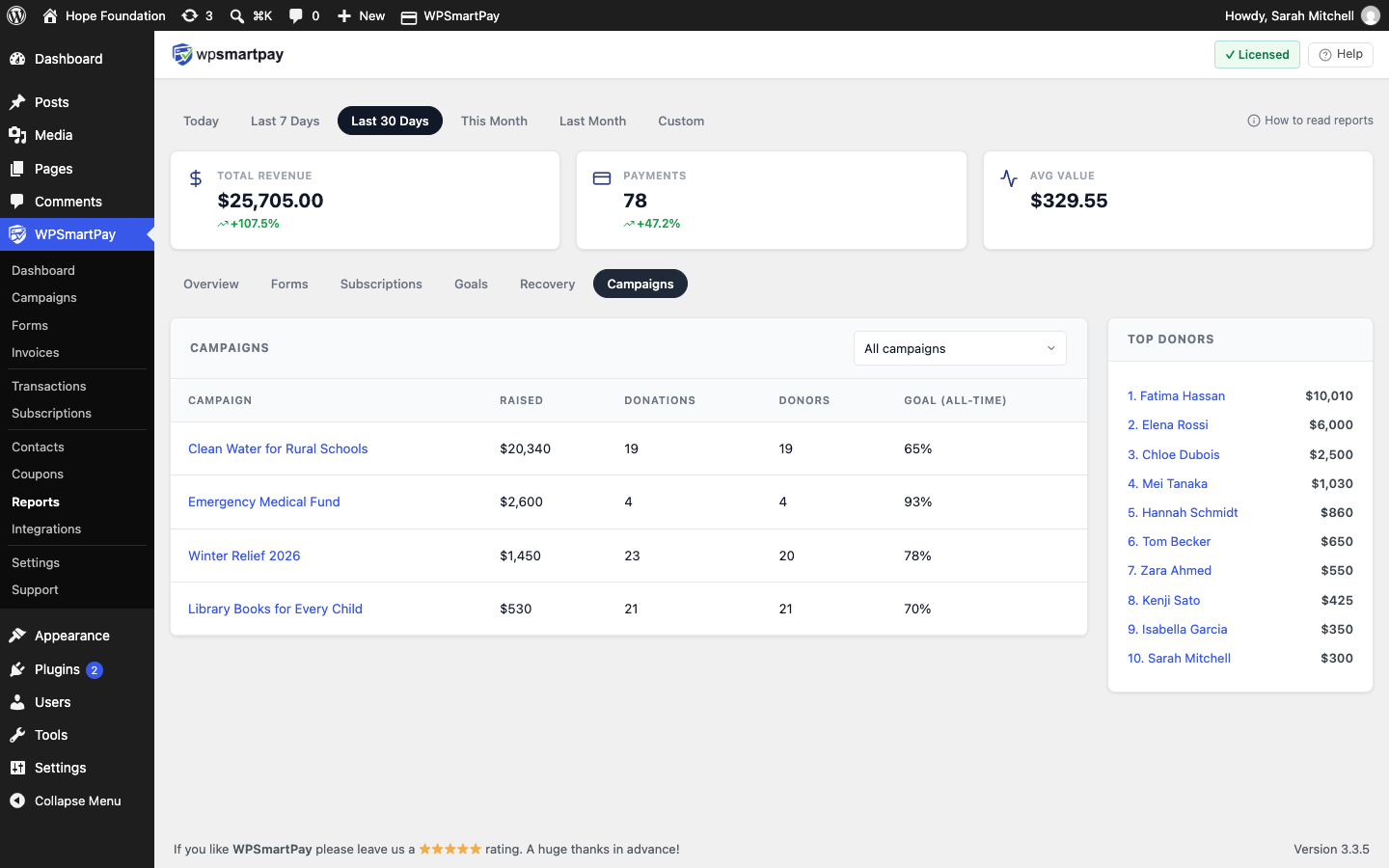
Campaign / Raised / Donations / Donors
Goal — All-time percentage of the goal reached.
Top donors — The top 10 for the selected period.
Exporting Donors
On SmartPay → Contacts → Donors, click Export CSV. The export follows your current campaign, type and search filters.
Columns: ID, First name, Last name, Email, Type, Total given, Gifts, Latest gift, Donor since, Campaigns, Hides name.
Exporting Customers
On Contacts → All or Contacts → Customers, click Export CSV. The Customers export leaves out people who only donated.
Columns: ID, First name, Last name, Email, Created.