
The WP SmartPay contacts list gives you a directory of every person who has paid or donated through your site. From here you can search for people, see whether they are a customer, a donor or both, and open a full profile.
Opening the Contacts List
Go to SmartPay → Contacts in your WordPress admin sidebar. This menu was called Customers in earlier versions; old Customers links redirect here.
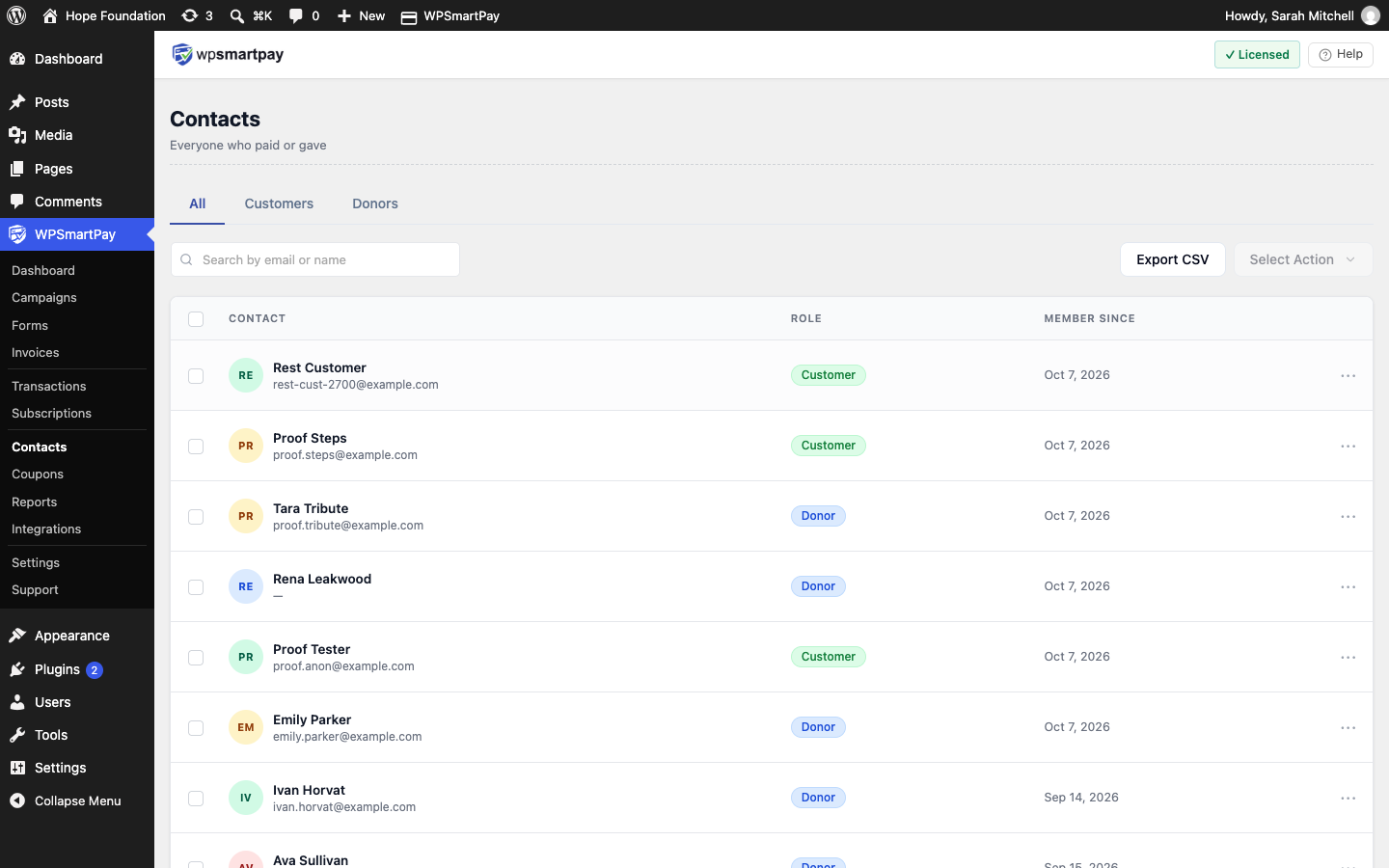
Tabs
- All — Everyone, with a Role badge: Customer, Donor or Customer + Donor.
- Customers — People who bought something. People who only donated are not listed here.
- Donors — People who gave. See Donors.
Column Overview
On the All and Customers tabs:
- Contact — Name and email. The column is labelled Customer on the Customers tab. Click to open the customer detail page. All payments from one email address are grouped under one record, even if the person pays through multiple forms.
- Role — Customer, Donor or Customer + Donor. Shown on the All tab only.
- Member Since — When the record was first created (their first payment).
Searching Contacts
Use the search bar at the top to find a person by full or partial name or email address.
Exporting (Pro)
Click Export CSV to download the list. The export follows the current tab and search, and the Customers export leaves out people who only donated. See Campaign Reports & Donor Export.
Contact Records vs WordPress Users
SmartPay creates a contact record for every unique email address that pays through the plugin, regardless of whether that person has a WordPress user account. People without a WP account can still pay through any form — they are not required to log in unless Require Login is enabled on the specific form they are using.
Note: If a customer pays with two different email addresses, SmartPay creates two separate contact records. There is no automatic merge — you would need to update payments manually if the customer requests consolidation.