
With Twilio integration, WP SmartPay Pro can automatically send payment notifications through SMS.
Connect your Twilio account to keep customers or your team updated with important payment and transaction alerts directly on their mobile devices.
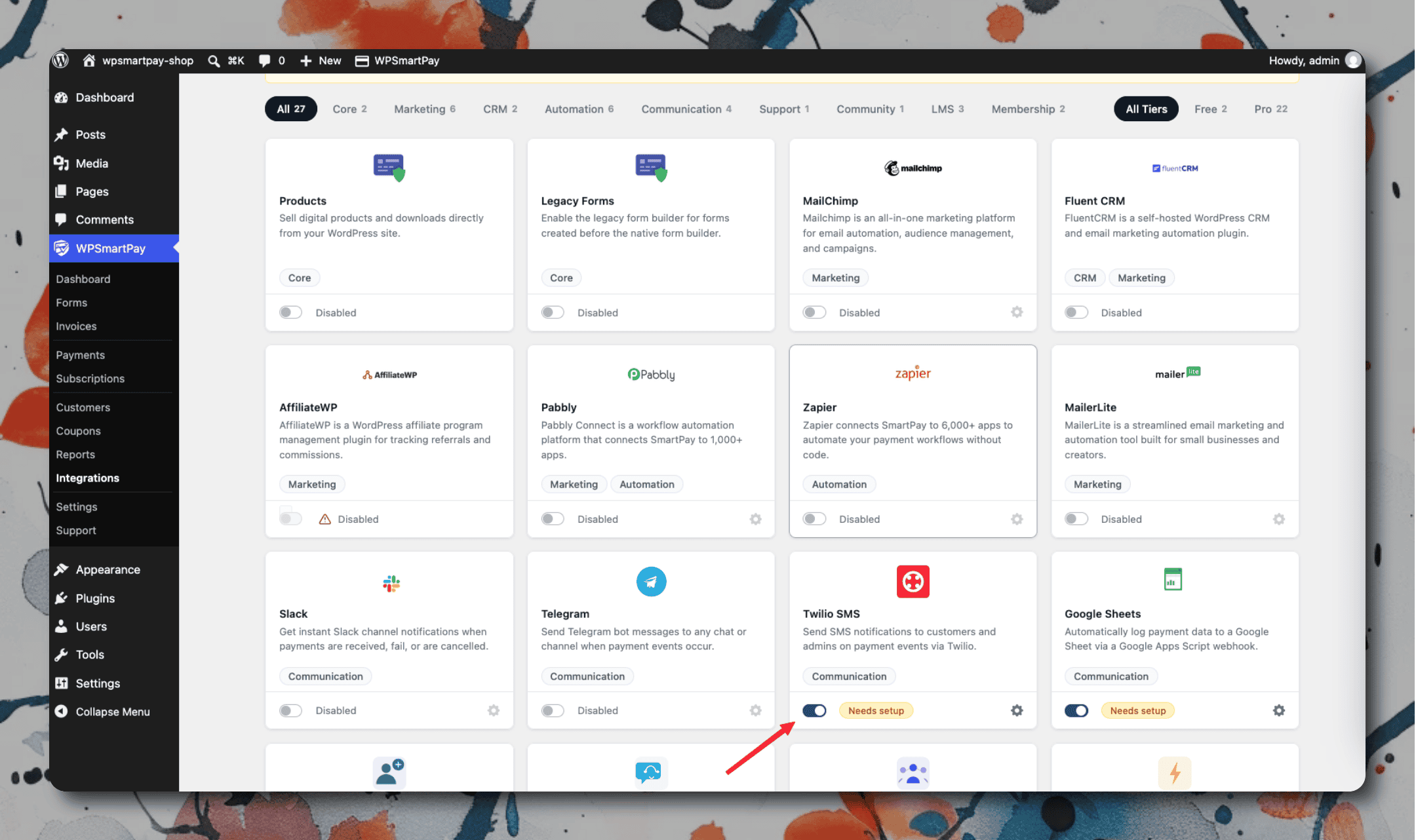
Setting Up
Create an account at twilio.com if you don't have one.
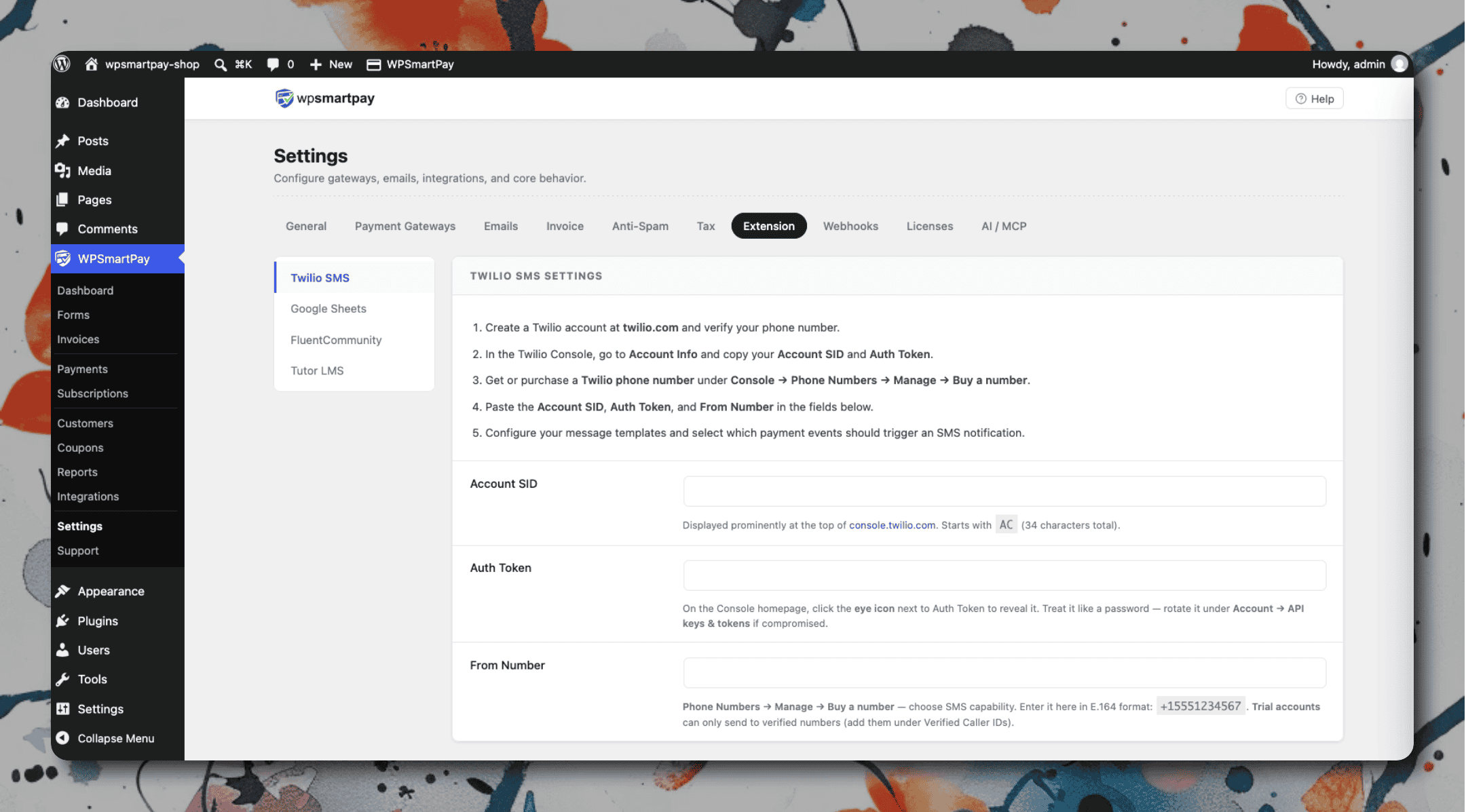
From the Twilio Console, get your Account SID, Auth Token, and a Twilio phone number.
In WordPress, go to SmartPay → Extensions → Twilio → Settings.
Enter your Account SID, Auth Token, from-number, and the recipient number (your phone or a team number).
Save and make a test payment to confirm SMS delivery.
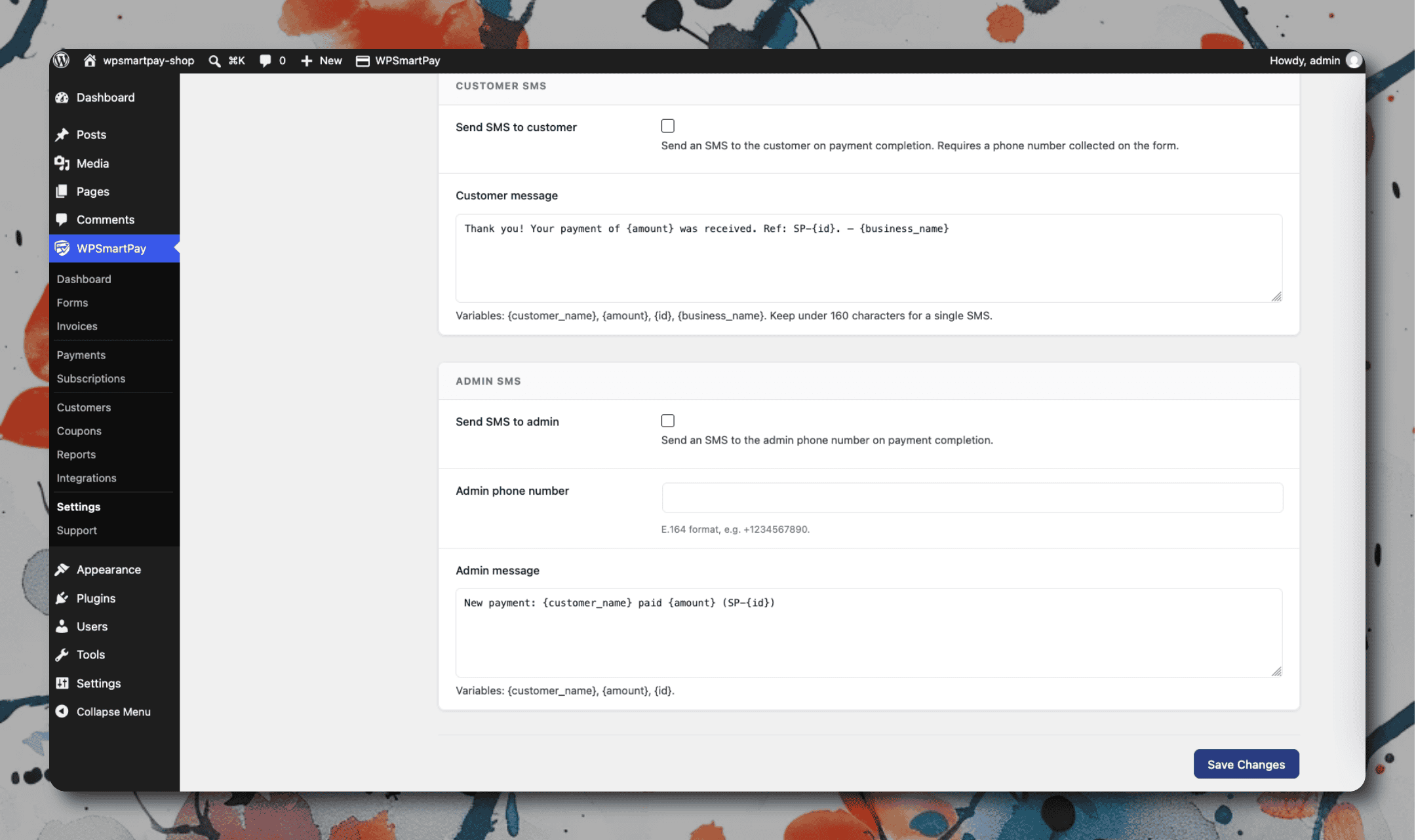
SMS Message Format
Messages are sent as plain text and kept short for SMS compatibility:
[object Object],[object Object],[object Object],[object Object],[object Object],[object Object],[object Object],[object Object],[object Object],[object Object],[object Object],[object Object],[object Object],[object Object],[object Object],[object Object],[object Object],[object Object],[object Object],[object Object],[object Object],[object Object],[object Object],[object Object],[object Object],[object Object],[object Object],[object Object],[object Object],[object Object]