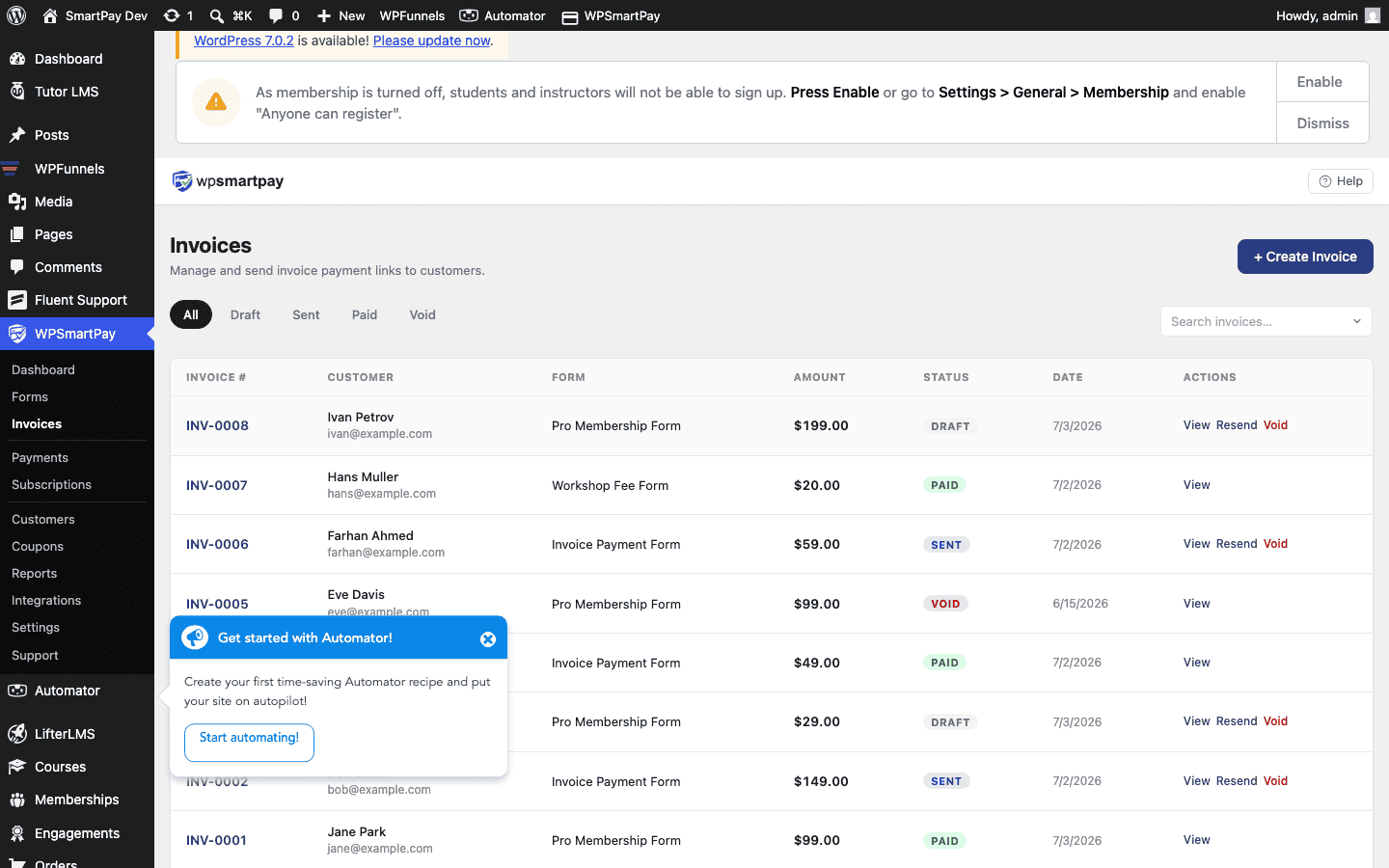
Invoice Statuses & Lifecycle
Every WP SmartPay invoice moves through a defined lifecycle from creation to payment. Understanding the statuses helps you track outstanding invoices, follow up with customers, and keep your records accurate.
Status Reference
Draft
The invoice has been created but not yet sent to the customer. The customer cannot see it. Use Draft status when you want to prepare an invoice in advance and review it before sending.
Sent
The invoice has been emailed to the customer (or the shareable link has been shared manually). The customer can view the invoice and pay through it.
Paid
The customer has completed payment through the invoice's payment link, or an admin has manually marked the invoice as paid. A linked Payment record exists in SmartPay → Payments for this invoice.
Overdue
The invoice due date has passed and payment has not been received. SmartPay automatically moves invoices to Overdue status at midnight on the day after the due date. No automated follow-up email is sent — you need to follow up manually.
Cancelled
The invoice has been voided. A cancelled invoice cannot be paid. Use Cancelled when a project falls through or the billing arrangement changes after the invoice was sent.
Auto-Mark Paid
When a payment completes through an invoice's pay button, SmartPay automatically:
- Creates a Payment record with status Completed.
- Updates the invoice status to Paid.
- Links the payment to the invoice in both records.
No manual action is needed — the lifecycle completes itself once the customer pays.
Manually Updating Status
Open the invoice detail page (SmartPay → Invoices → click an invoice) and use the status dropdown or action buttons to change status manually. Common manual updates:
- Draft → Sent: when you share the link manually without using the Send Invoice email.
- Sent → Paid: when payment was received outside SmartPay (e.g., bank transfer) and you want to mark the invoice settled.
- Sent → Cancelled: when the service is no longer needed.