
Renewals, Billing & Failed Payment Recovery
WP SmartPay Pro handles subscription renewals automatically through gateway webhooks. Each renewal creates a new payment record, and failed renewals trigger gateway-side retries before eventually cancelling the subscription.
How Renewals Are Triggered
SmartPay does not run renewal billing itself. Instead:
- Your gateway (Stripe or Paddle) manages the billing schedule on its end.
- When a renewal fires, the gateway charges the customer's card.
- On success, the gateway sends a
invoice.paid/payment_intent.succeededwebhook to your site. - SmartPay receives the webhook, creates a new Payment record linked to the subscription, and updates the Next Renewal date.
This means renewals work even if your WordPress site is down during the billing moment — the gateway handles the charge, and the record is created when the webhook is received once your site is back up.
Each Renewal Creates a Payment Record
Every successful renewal appears in SmartPay → Payments as a normal completed payment with:
- Status: Completed
- Subscription ID in the metadata
- Gateway renewal transaction ID
You can see all renewals for a specific subscription from its detail page.
Stripe Smart Retries for Failed Renewals
If a renewal charge fails (card declined, expired, etc.), Stripe automatically retries the charge on a schedule optimised by machine learning (Smart Retries). Typically:
- First retry: 3 days after the failure
- Second retry: 5 days after the first retry
- Third retry: 7 days after the second retry
You can configure the retry schedule in your Stripe dashboard under Billing → Settings → Smart Retries.
SmartPay updates the subscription to Failing status when the first renewal attempt fails. If a retry succeeds, the status returns to Active. If all retries are exhausted, the subscription moves to Cancelled.
Payment Recovery Report
SmartPay tracks failed and abandoned subscriptions in the Recovery tab of SmartPay → Reports.
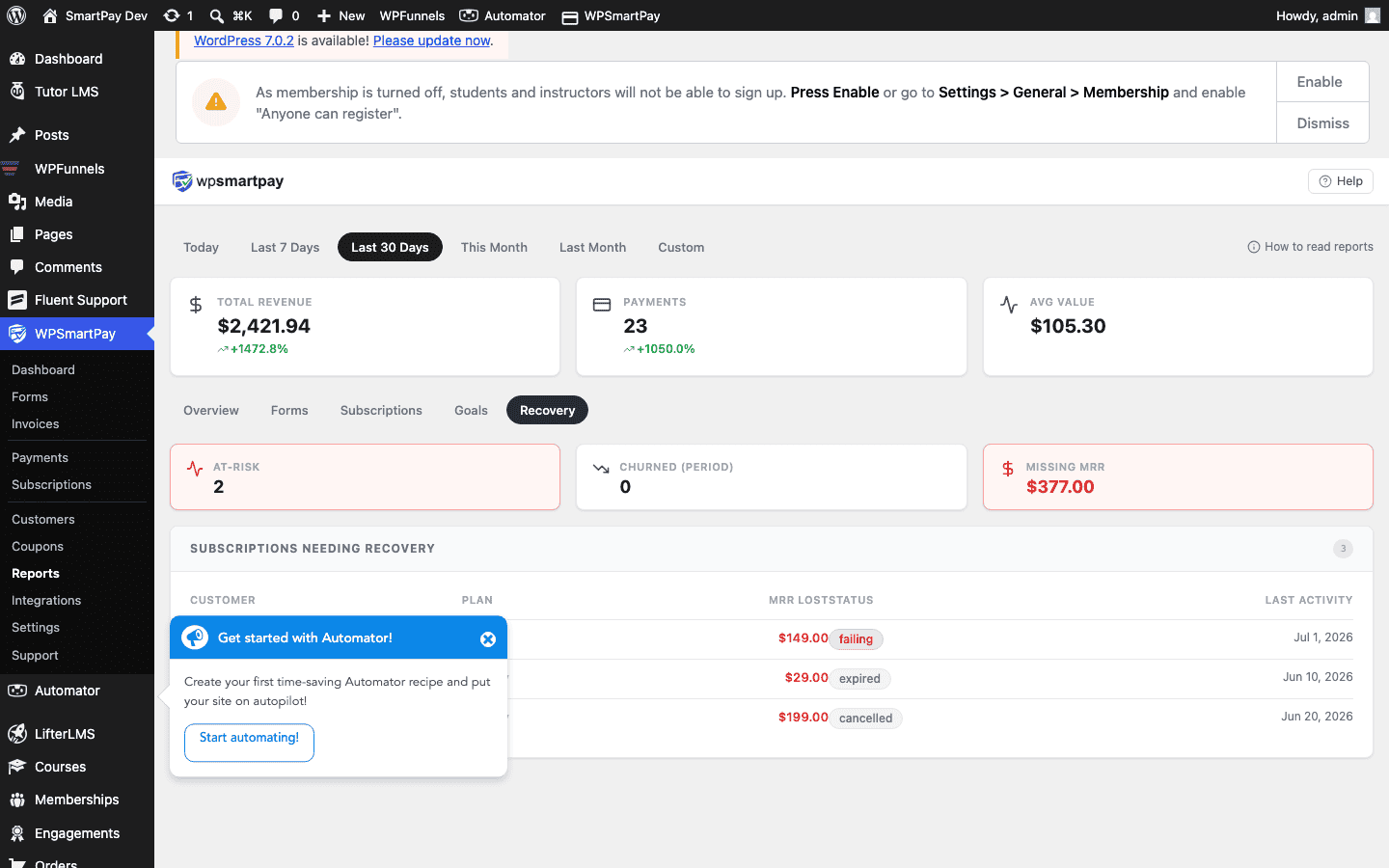
The Recovery report shows:
- Subscriptions in Failing status
- Amount at risk (monthly billing amount × failing subscriptions)
- Whether the gateway is actively retrying
- Revenue already recovered through successful retries
Manual Recovery Actions
If a customer's card has changed and automatic retries will not succeed, reach out directly:
- Find the customer in SmartPay → Customers and note their email.
- Contact them to update their card in the Stripe Customer Portal.
- Once the card is updated in Stripe, trigger a manual retry from the Stripe dashboard (Billing → Invoices → Retry).
- SmartPay receives the success webhook and updates the subscription to Active.