
Subscription List & Statuses
The WP SmartPay subscriptions list is your central view of every recurring billing agreement on your site. You can see the status of each subscription, when the next renewal is due, and which customers are on which plans.
Opening the Subscriptions List
Go to SmartPay → Subscriptions in your WordPress admin sidebar.
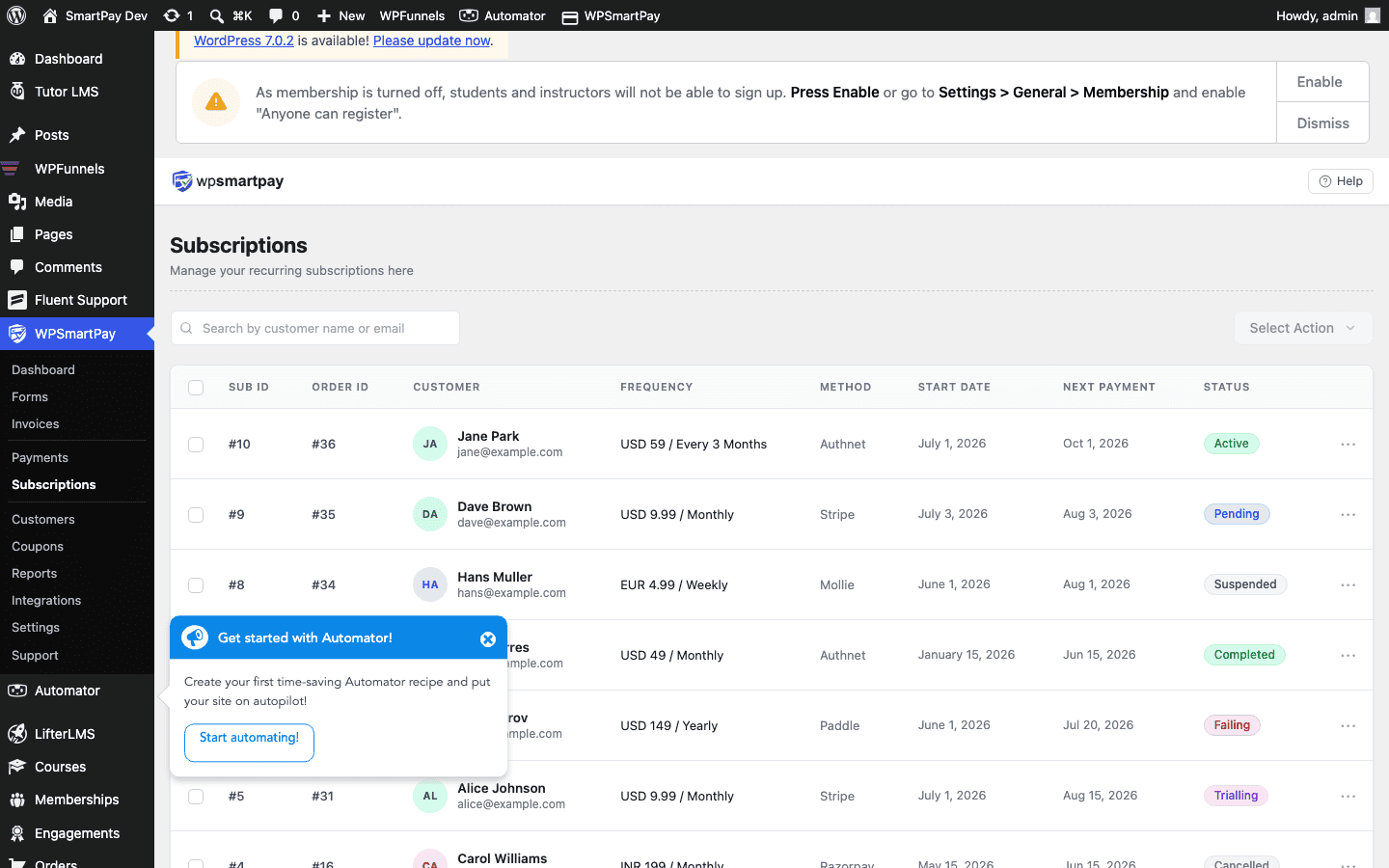
Column Overview
- ID — Unique subscription identifier (e.g., SUB-001). Click to open the subscription detail page.
- Customer — Name and email. Click to open the customer profile.
- Plan / Form — The payment form that created this subscription and the billing amount + interval (e.g., $29.00 / month).
- Status — Current lifecycle status (see below).
- Next Renewal — Date of the next scheduled billing event. Blank for cancelled or expired subscriptions.
- Created — Date the subscription was first created.
Subscription Statuses
Active
The subscription is in good standing. The customer's card is being charged on schedule. All renewals have succeeded.
Trialling
The customer is in a free trial period. No charges have been made yet. Billing begins when the trial period ends.
Failing
The most recent renewal attempt failed (card declined, expired, etc.). The gateway is retrying automatically. The subscription remains Failing until a renewal succeeds (→ Active) or retries are exhausted (→ Cancelled).
Cancelled
The subscription has been cancelled — either by the customer, by an admin, or automatically after all gateway retries failed. No future renewals will be attempted. The subscription record is kept for historical reference.
Expired
The subscription reached its maximum billing cycles and completed naturally. The plan has ended as designed — no cancellation action was needed.
Filtering by Status
Click the status tabs at the top of the list — All, Active, Trialling, Failing, Cancelled, Expired — to see only subscriptions in that state. Use this to quickly identify customers whose cards are failing so you can follow up.