
Reports Overview
WP SmartPay Pro includes a reporting suite that gives you a data-driven view of your revenue, forms performance, subscriptions, goals, and payment recovery. All reports live under SmartPay → Reports.
Accessing Reports
Go to SmartPay → Reports in your WordPress admin sidebar. The Reports page opens on the Revenue tab by default.
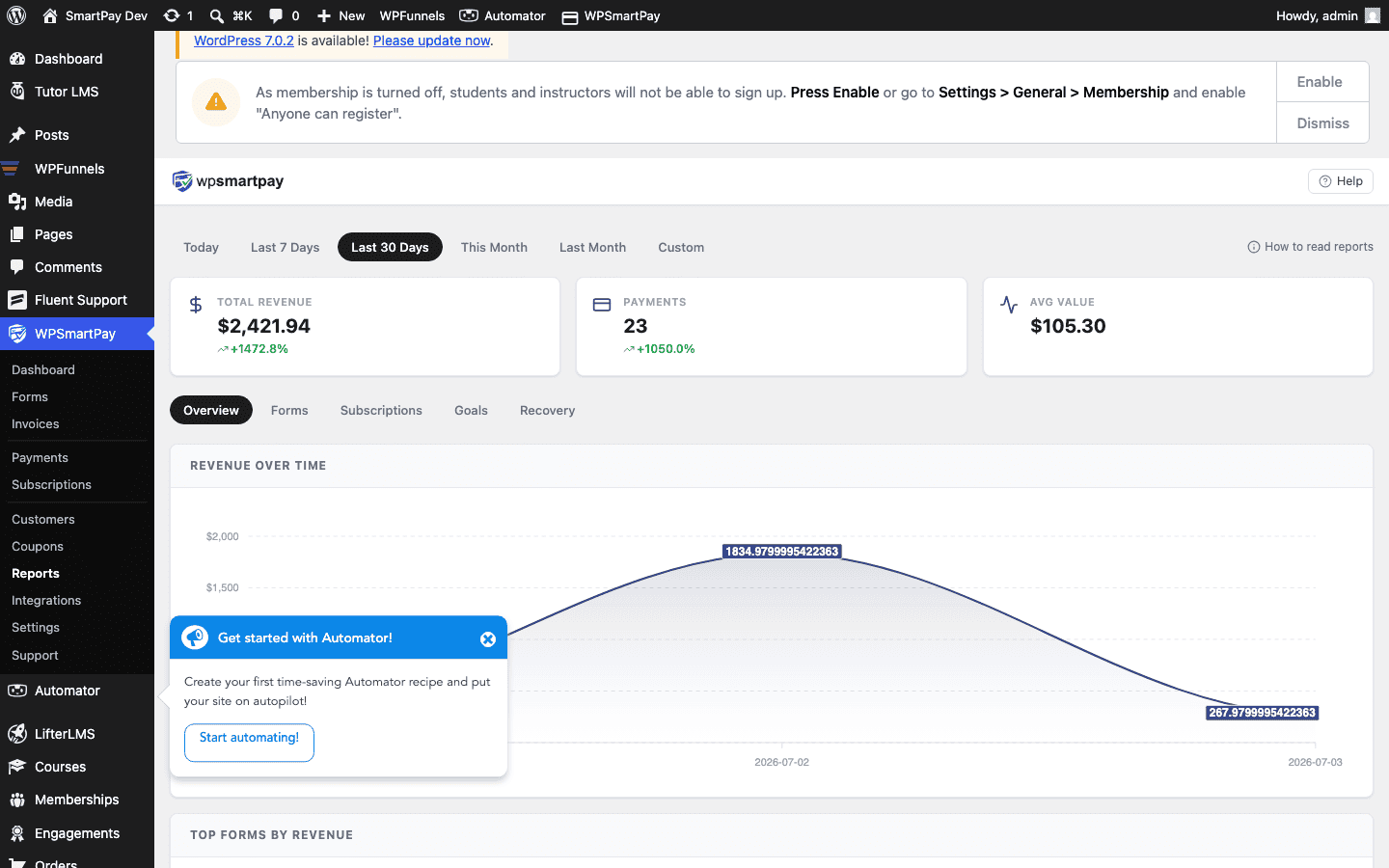
Five Report Tabs
- Revenue — Monthly bar chart, key stats (total revenue, order count, average order value), and top-performing forms and products. See Revenue Report.
- Forms — Per-form breakdown of views, completions, revenue, and conversion rate. See Forms Report.
- Subscriptions — Active subscription count, Monthly Recurring Revenue (MRR), and subscription lifecycle metrics. See Subscriptions Report.
- Goals — Revenue goal progress bars and completion tracking. See Revenue Goals & Progress Bar.
- Recovery — Failed and abandoned payment recovery status and revenue at risk. See Payment Recovery Report.
Date Range Selector
The date range selector at the top of the Reports page controls which data is displayed across all tabs. Available periods include:
- Today — Current day only.
- This Week — Current calendar week (Monday to Sunday).
- This Month — Current calendar month.
- Last Month — Previous complete calendar month.
- Custom Range — Pick any start and end date.
Changing the period updates all tabs simultaneously — you only need to set it once.
Note: Reports are available to WordPress users with the manage_options capability (Administrators by default). You can restrict access further using capability filters if needed.