
Subscription renewal failures are one of the most common reasons subscribers lose access. This article explains why renewals fail, how SmartPay handles them automatically, and what to do when automatic recovery doesn't work.
Why Renewal Payments Fail
- Card expired: The subscriber's card on file has passed its expiry date — the most common cause
- Insufficient funds: The subscriber's account had insufficient balance at renewal time
- Card reported lost or stolen: Bank blocked the charge
- Subscription card blocked for international charges: Some banks block recurring charges from non-local merchants
- 3D Secure re-authentication required: Some European banks now require subscriber re-authentication on recurring charges
- Hard block by bank: The bank has blocked this specific merchant or transaction type
What Happens Automatically
- The gateway attempts the renewal charge on the billing date.
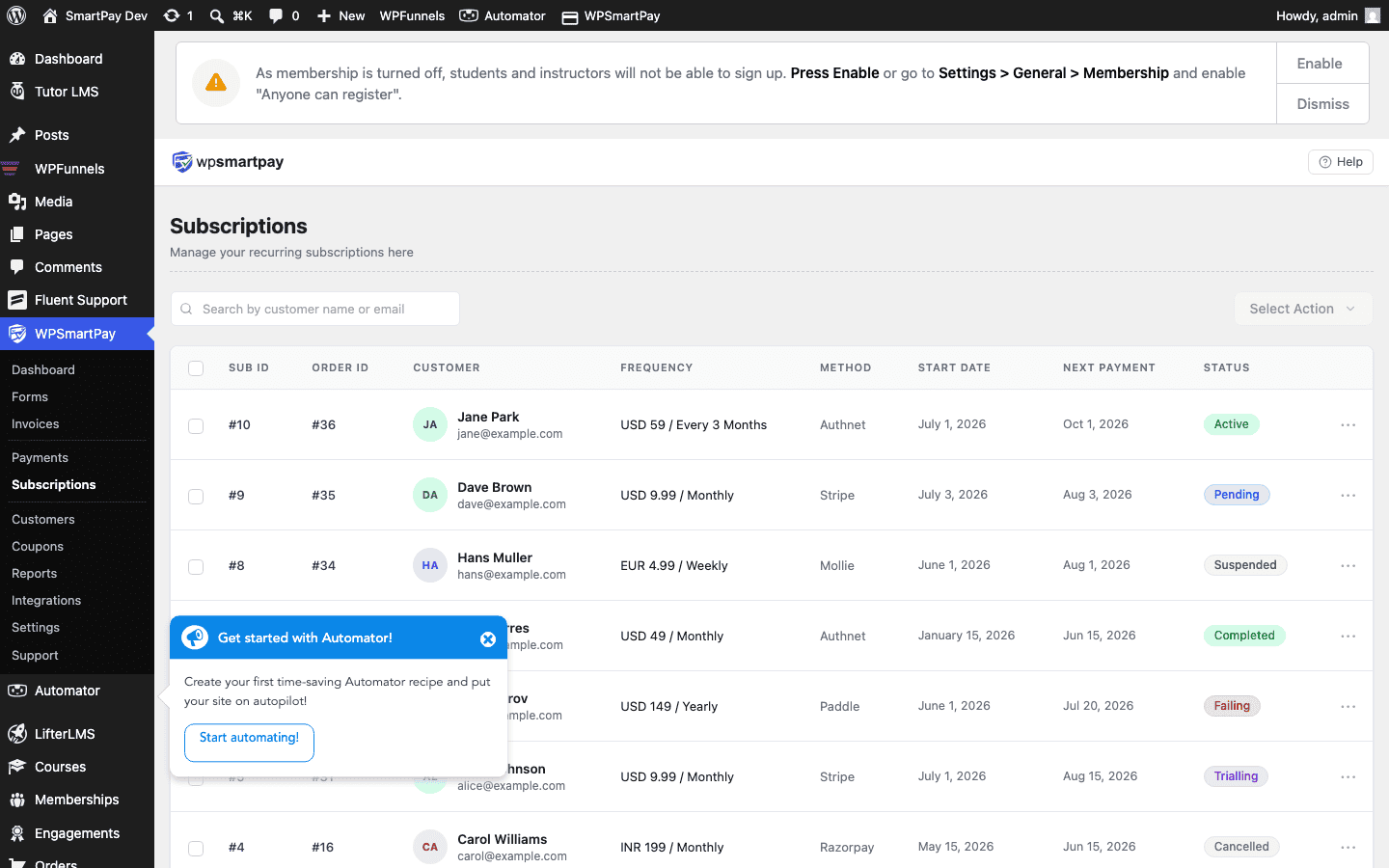
- If declined, SmartPay changes the subscription status to Failing.
- SmartPay sends an automatic Payment Failure email to the subscriber, asking them to update their payment method.
- The gateway retries on its own schedule:
- Stripe Smart Retries: Stripe uses machine-learning to retry at the optimal time over the next 4 days (configurable in Stripe Dashboard → Revenue Recovery)
- Paddle: Retries daily for up to 4 weeks
- Mollie: Retries once after 2 days; then cancels
- If all retries fail, the subscription is automatically cancelled and the subscriber loses access.
Viewing Failing Subscriptions
- Go to SmartPay → Subscriptions.
- Filter by status: Failing.
- Click a subscription to see the failure details — last attempt date, failure reason (if the gateway provided one), and subscriber contact info.
Helping Subscribers Update Their Payment Method
- Direct the subscriber to the Customer Account Page (the page with
[smartpay_account]). - From their account, they click Update Payment Method.
- A Stripe or Paddle secure form opens for them to enter a new card.
- Once saved, the gateway will retry the failed charge.
Alternatively, as an admin you can send them a payment update link directly from the subscription detail page.
Manually Retrying a Renewal
Once the subscriber updates their card, you can manually trigger a retry from the gateway dashboard:
- Stripe: Open the invoice in Stripe Dashboard → click Retry payment
- Paddle: Open the subscription in Paddle Dashboard → click Retry
SmartPay will receive the success webhook and change the subscription status back to Active automatically.
Reactivating a Cancelled Subscription
If retries are exhausted and the subscription has been cancelled, the subscriber must re-subscribe via the payment form. Their new subscription will be a fresh record in SmartPay. If they have an LMS or membership integration, access will be re-granted after the new subscription is created.
Preventing Renewal Failures
- Enable dunning emails: Configure a pre-expiry email sequence in your email marketing tool (Mailchimp, ActiveCampaign) to remind subscribers to update their card 7 days before renewal — especially if you know their card is expiring.
- Use Stripe's Customer Portal: Enable the Stripe Customer Portal in Stripe Dashboard → Settings → Billing → Customer Portal. Share the portal link so subscribers can self-service card updates without your involvement.
- Paddle handles it: If using Paddle as your gateway, Paddle (as merchant of record) sends its own payment recovery emails and handles dunning on your behalf — no setup required.